Using saved favorite places
After registering the current location or frequently visited places, you can easily set any of them as a destination.
Saving a searched place as a favorite place
You can search and register the desired place.
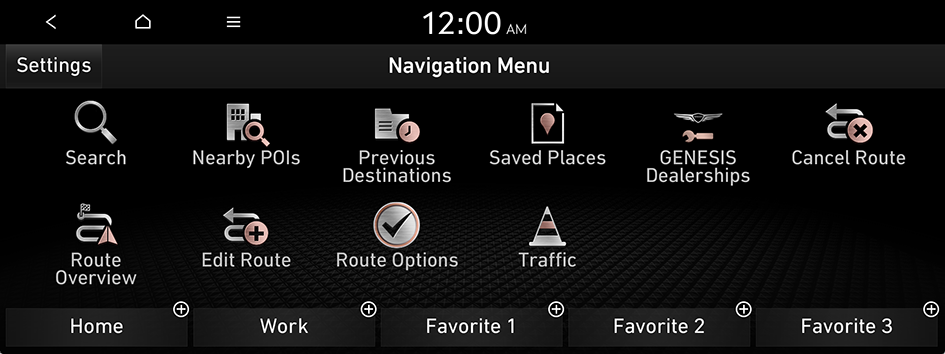
- On the Navigation Menu screen, press Saved Places.
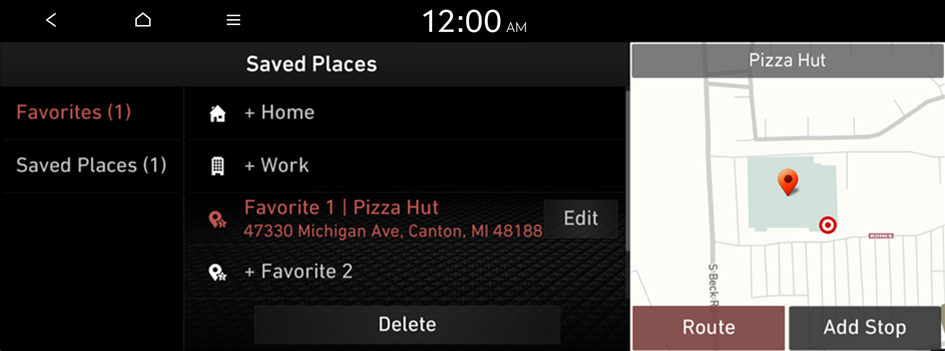
- On the Saved Places screen, press Saved Places.
- To access the online user's manual on the Saved Places screen, press
 ▶ User's Manual on Web (QR Code) and then scan the displayed QR code.
- To access the online user's manual on the Saved Places screen, press
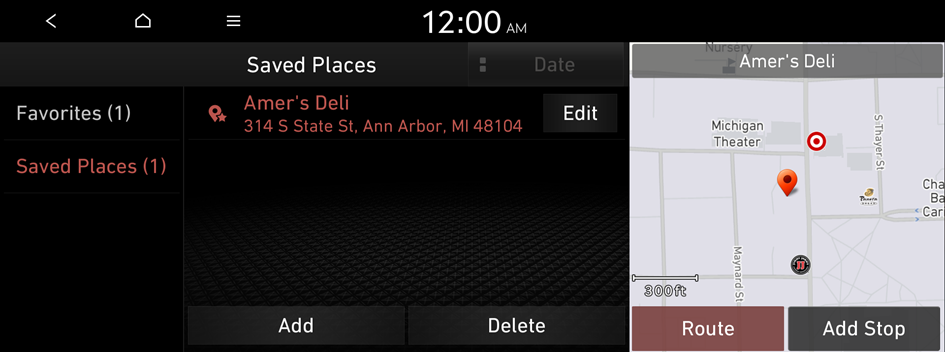
- Press Add.
- Press Search and enter a keyword for a search.
- You can also search for the place by using other methods. ▶ See "Various ways to find routes."
- Check the location and information of the current position and then press OK.
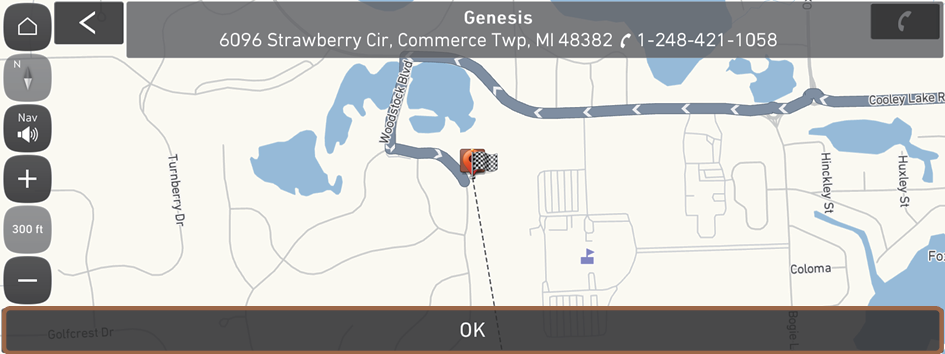
The place is registered as a favorite place.
Saving the current location as a favorite place
- On the map screen, press
 ▶ Save Location.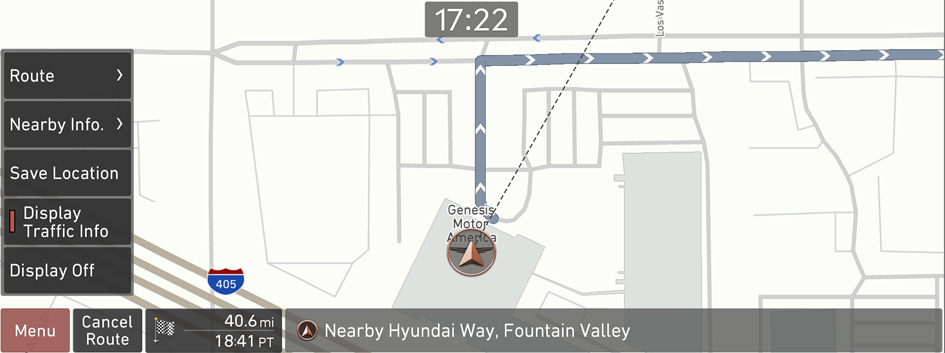
- If necessary, press Save after making changes.
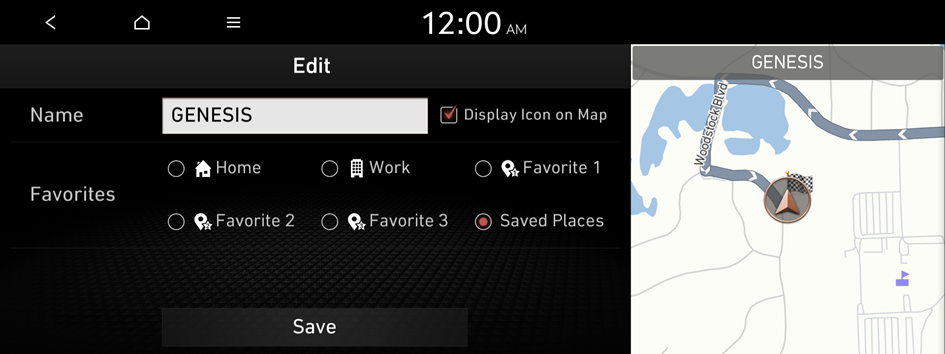
The place is registered as a favorite place.
Saving a frequently visited place as a favorite place
You can register your home, office, or other frequently visited place as a favorite.
- At the bottom of the Navigation Menu screen, select a button that has
 .
. - Press Search and enter a keyword for a search.
- Check the location and information of the current position and then press OK.
The selected place is saved as a favorite and displayed as a shortcut button at the bottom of the Navigation Menu screen.
- When you press and hold a registered favorite, you can edit its location.
Setting a saved favorite place as the destination
You can set any in the saved places of the navigation system as a destination.
- On the Navigation Menu screen, press Saved Places.
- Select the desired option from the left of the screen.
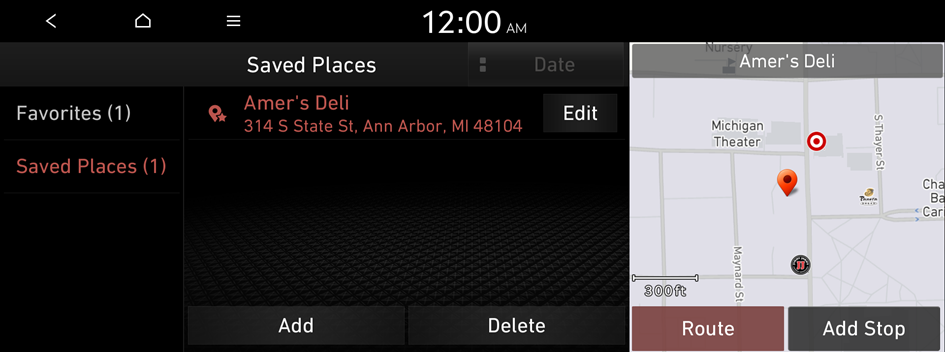
- Select the place to set as a destination.
- Check the location of the destination and then press Route.
- Select a route and press Start Guidance.
Setting a frequently visited place as the destination
You can set your home, office, or other frequently visited places as a destination directly from your favorites list once you add them.
At the bottom of the Navigation Menu screen, press a desired shortcut button.
- When guidance to a destination is in progress, press Change Dest..
Editing information about a saved favorite place
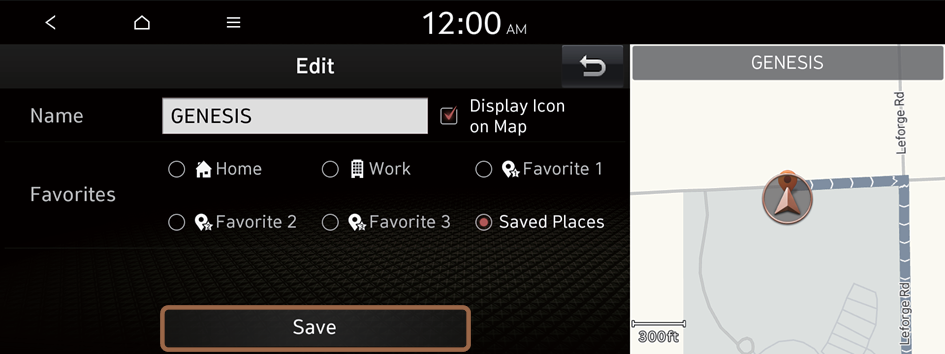
You can change information or properties of a registered location.
- On the Navigation Menu screen, press Saved Places.
- Select an option that contains the destination you want from the left of the screen.
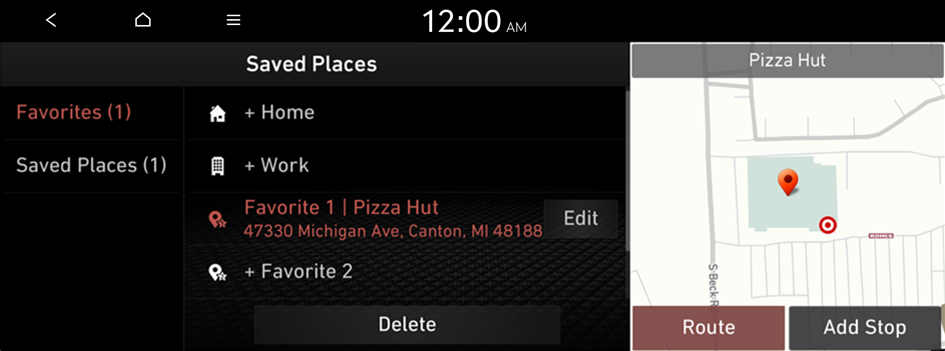
- Press Edit next to the place for changing information.
- After changing the information, press Save.
Deleting a saved favorite place
- On the Navigation Menu screen, press Saved Places.
- Select the desired group.
- Among the registered favorite places, select a place to delete and press Delete.
- Select the destination(s) to delete and press Delete.


