Various ways to find routes
On the Navigation menu, you can set the destination by using various searches, such as entering the location information or selecting from recent destinations or categorized places.
Perform any of the following methods:
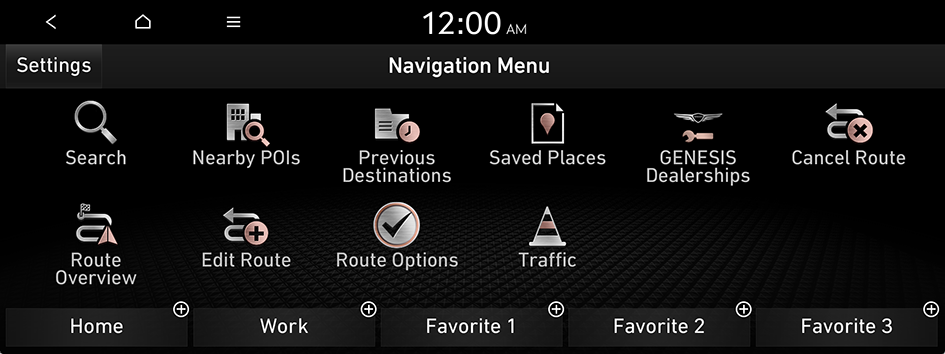
- • On the All Menus screen, press Navigation Menu.
- • On the control panel, press the button.
Searching by keyword
Search for a location by entering various types of keywords such as place name, coordinates, and address.
- On the Navigation Menu screen, press Search.
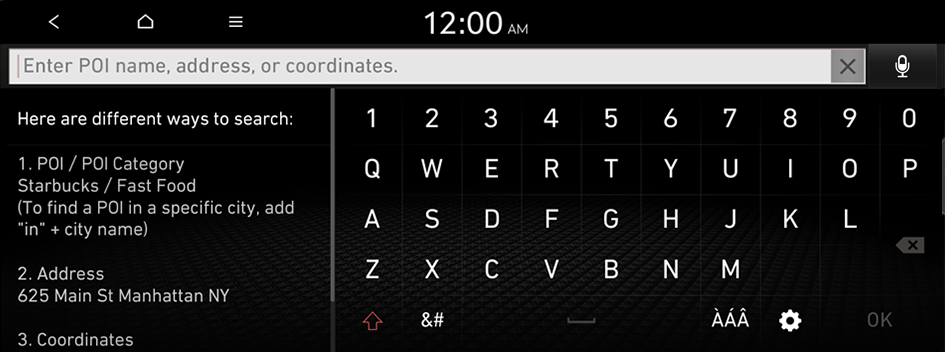
- Enter the location data such as place name, address, or coordinates and then press OK.
- To access the online user's manual on the Search screen, press
 ▶ User's Manual on Web (QR Code) and then scan the displayed QR code.
 - When there are any similar matches, the recommendations appear at the left of keypad.
- To access the online user's manual on the Search screen, press
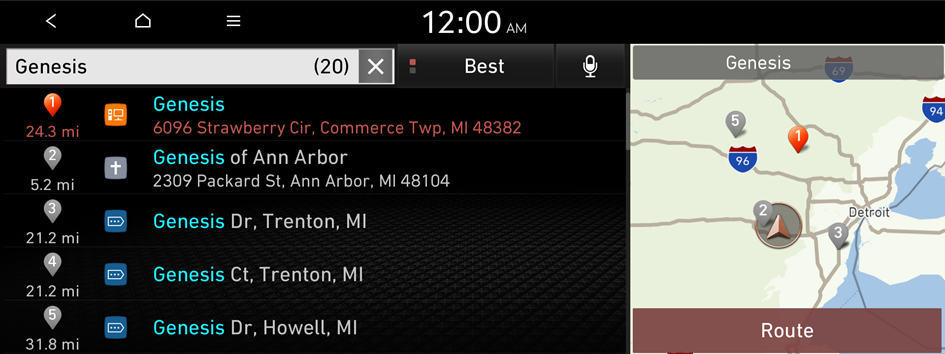
- Select a destination from the search result.
- You can see the sites in the list on the preview screen at the right.
- To sort the search results in a different order, press on the attribute to toggle between options.
- Check the location of the destination and then press Route.
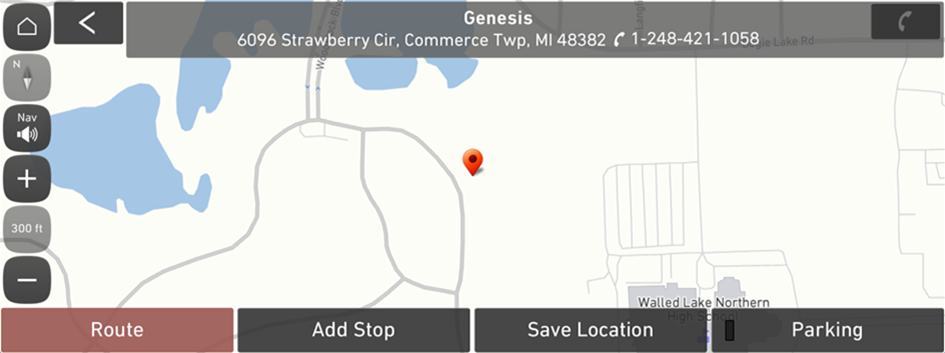
- If you press Parking at the bottom right of the screen, the map screen displays the location icon of the parking lot.
- Select a route and press Start Guidance.
Searching for nearby points of interest(POI)
You can set a destination after searching the nearby points of interest by the category.
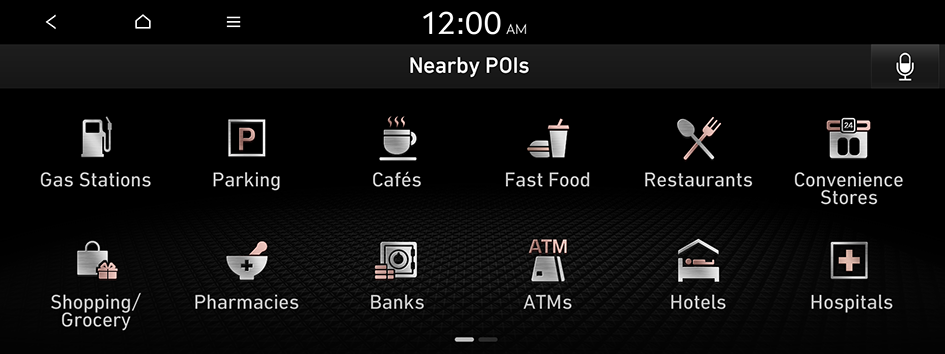
- On the Navigation Menu screen, press Nearby POIs.
- Select a desired point according to the instructions.
- To access the online user's manual on the Nearby POIs screen, press ▶ User's Manual on Web (QR Code) and then scan the displayed QR code.
- To access the online user's manual on the Nearby POIs screen, press
- Select a destination from the search result.
- To display the result of search around a specific location, select a sort criteria from the list on the left of the screen.
- To sort the search results in a different order, press on the attribute to toggle between options.
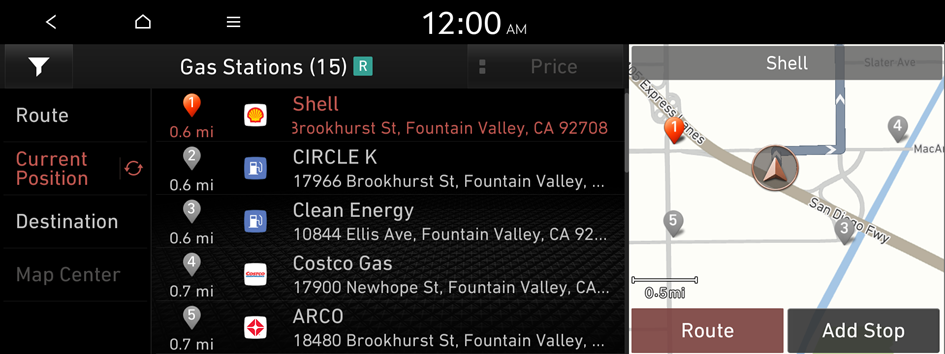
- Check the location of the destination and then press Route.
- Select a route and press Start Guidance.
- To change the type of nearby POIs on the map, press
 ▶ Nearby Info. ▶ Show POI Icons on Map.
 - To see nearby POIs during guidance on the map, press ▶ Nearby Info. ▶ Nearby POIs.
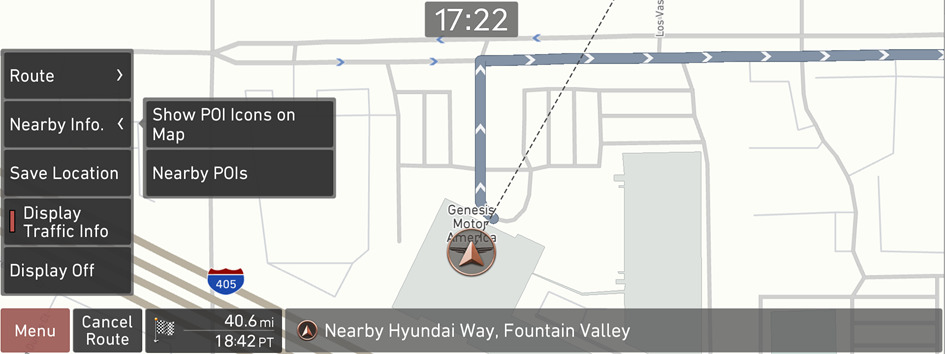
- To change the type of nearby POIs on the map, press
Searching from previous destinations
You can set a destination by selecting from the recently searched ones.
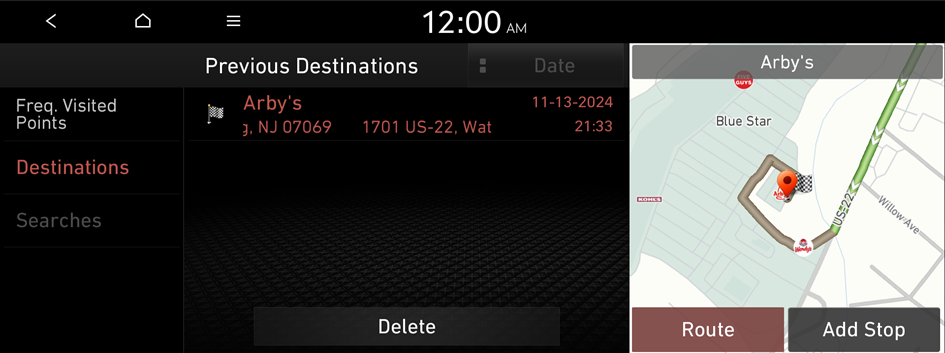
- On the Navigation Menu screen, press Previous Destinations.
The navigated destinations appear in the list.
- Select the desired destination from the list.
- To access the online user's manual on the Previous Destinations screen, press ▶ User's Manual on Web (QR Code) and then scan the displayed QR code.
- To sort the search results in a different order, press on the attribute to toggle between options.
- To access the online user's manual on the Previous Destinations screen, press
- Check the location of the destination and then press Route.
- Select a route and press Start Guidance.
Deleting a previous destination
- On the Previous Destinations screen, press Delete.
- Select the destination(s) to delete and press Delete.
You can delete the selected place(s) or all places.
Searching for GENESIS Dealerships
You can easily search for service centers or service stations.
- On the Navigation Menu screen, press GENESIS Dealerships.
- Select a GENESIS Dealerships from the list.
- To access the online user's manual, on the GENESIS Dealerships screen, press ▶ User's Manual on Web (QR Code) and then scan the displayed QR code.
- To sort the search results in a different order, press on the attribute to toggle between options.
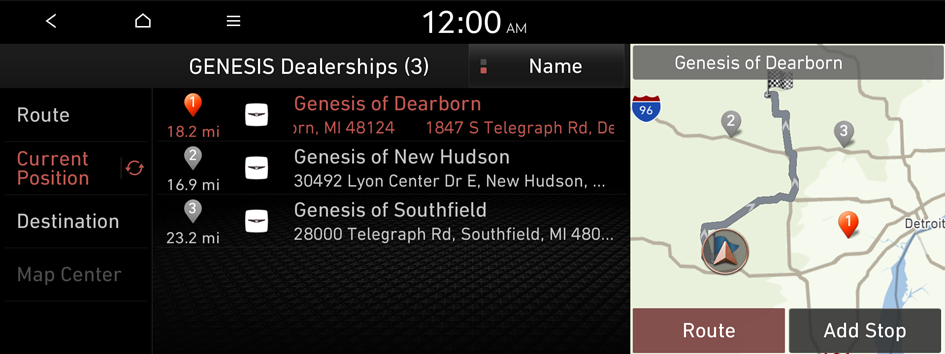
- To access the online user's manual, on the GENESIS Dealerships screen, press
- Check the location of the destination and then press Route.
- Select a route and press Start Guidance.
Editing the route
You can edit the waypoints on the way to the destination. You can add up to two waypoints.
Setting a waypoint
You can search for the desired place and set it as a waypoint.
- On the Navigation Menu screen, press the desired search method to search for a waypoint.
- For more information about the waypoint search: ▶ see "Searching by keyword", "Searching from previous destinations", "Searching for nearby points of interest(POI)."
- On the map for a search, press Add Stop.
The selected waypoint is added to the route.
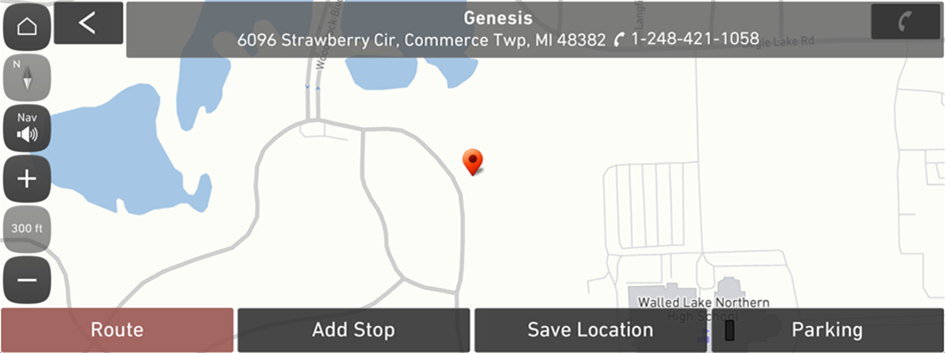
- After adding waypoints, press Route.
- To access the online user's manual on the Edit Route screen, press ▶ User's Manual on Web (QR Code) and then scan the displayed QR code.
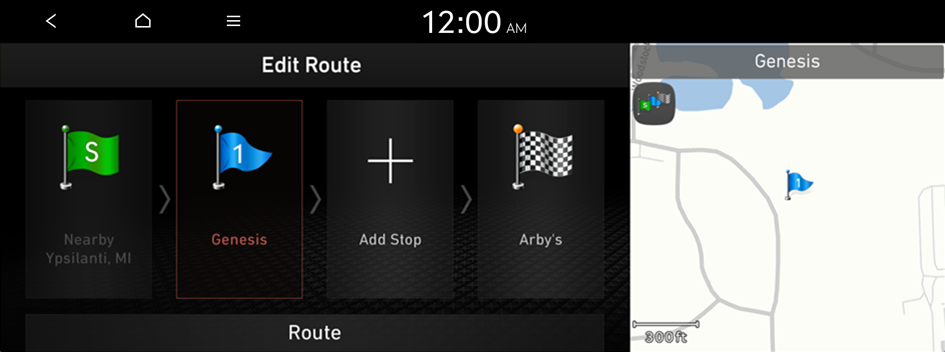
- To access the online user's manual on the Edit Route screen, press
- Select the updated route and then press Start Guidance.
Changing the order of waypoints
You can change the order of waypoints on the route.
- On the Navigation Menu screen, press Edit Route.
- Select a waypoint to change the order and then press Change Order.
- To change the order of waypoints, press Change Order, then drag it to reposition.
- To add another waypoint on the Edit Route screen, press Add Stop.
- To see waypoint on the map, press waypoint name ▶ Show Map.
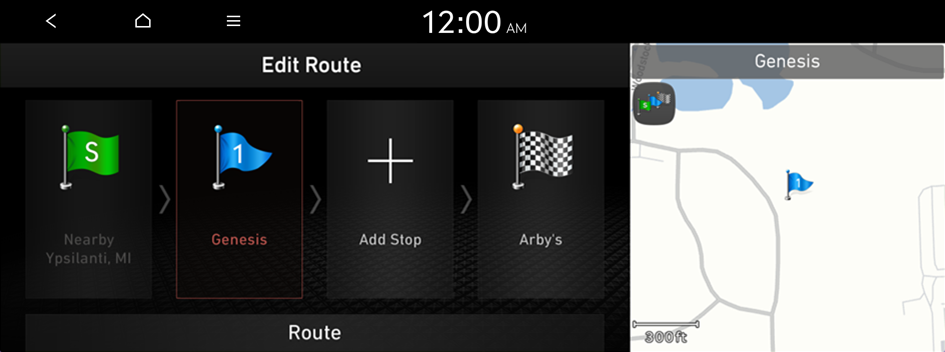
- After editing the route, press Route.
- Select the updated route and then press Start Guidance.
Deleting a waypoint
You can delete a waypoint from the route.
- On the Navigation Menu screen, press Edit Route.
- Select a waypoint to delete from the route and then press Delete.
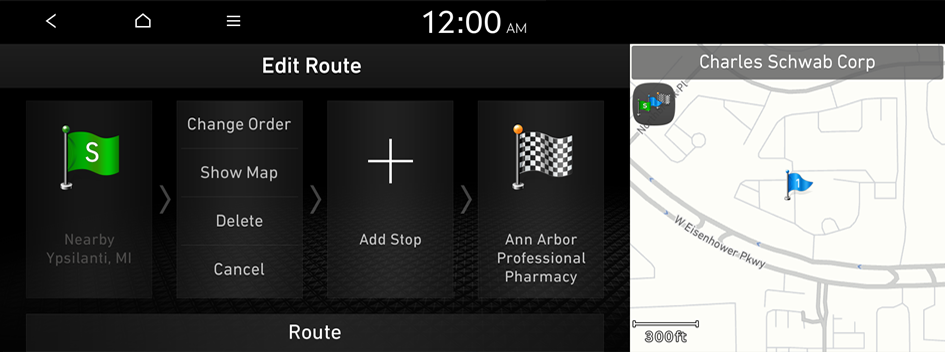
- To search the route again after removing the waypoint, press Route.
- Select the updated route and then press Start Guidance.
Avoiding specific zones
You can resume routing after excluding the specified roads such as congested roads or roads under construction.
- On the Navigation Menu screen, press Route Overview.
- Press Route Info. / Avoid.
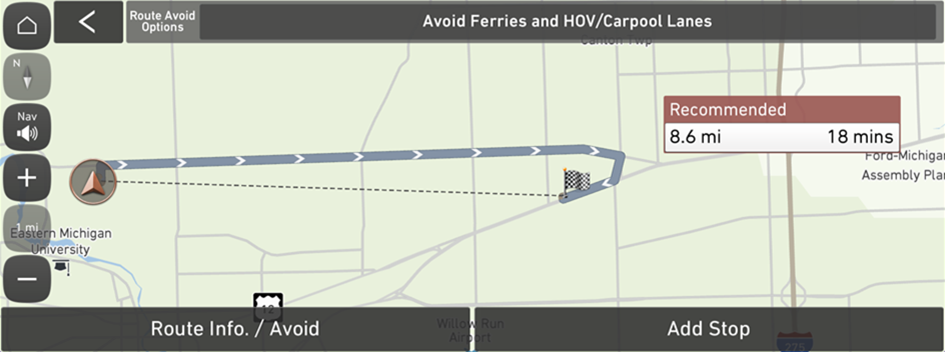
- Select the roads to avoid and press Reroute.
- To access the online user's manual on the Route Info. / Avoid screen, press ▶ User's Manual on Web (QR Code) and then scan the displayed QR code.
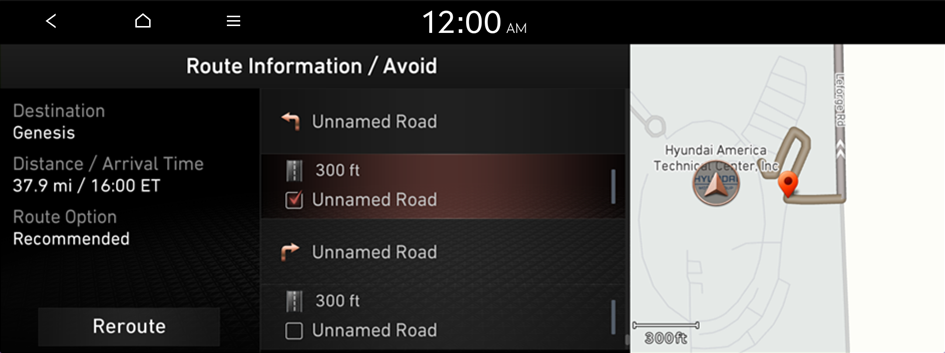
- To access the online user's manual on the Route Info. / Avoid screen, press
- Press Yes.
- Select the updated route and then press Start Guidance.
- When there is any zone under construction ahead on the way, you are prompted to confirm whether or not to exclude the zone from the route. To avoid the zone, press Yes to resume routing.
Changing the route search option
You can change the route search option.
- On the Navigation Menu screen, press Route Options.
- Select a route and press Route Options or Route Avoid Options.
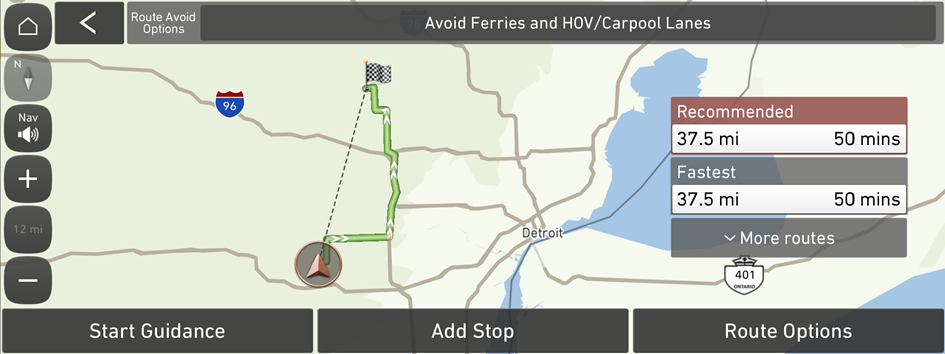
Option A
(route search screen linked to connected car system)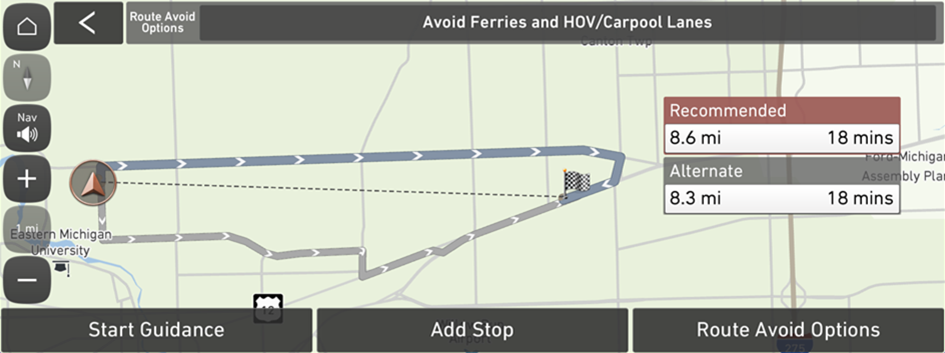
Option B
(route search screen not linked to connected car system) - On the route search screen, change the priority of the preferred search option.
- To access the online user's manual on the Route Options screen, press ▶ User's Manual on Web (QR Code) and then scan the displayed QR code.
- On the Option A screen, press and hold and then drag
 on the right of the preferred search option to the desired position to change the priority. To select the avoidance route option, press
  .
. - The displayed screen may differ depending on the communication condition.
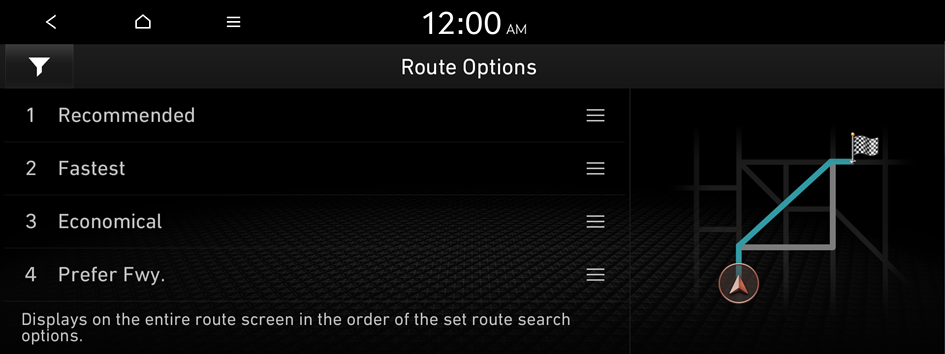
Option A
(route search screen linked to connected car system)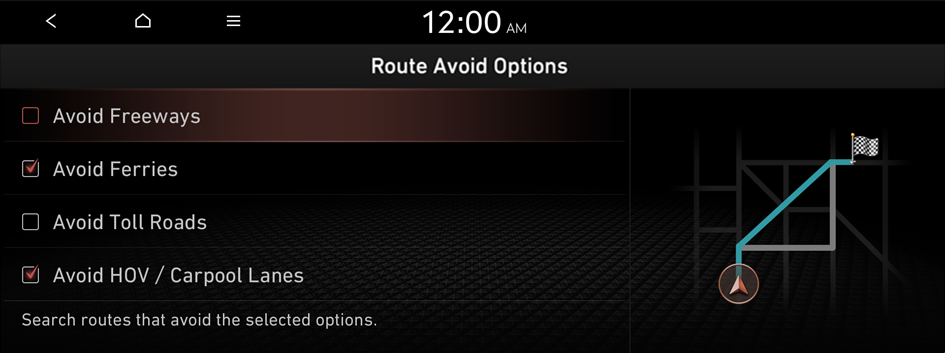
Option B
(route search screen not linked to connected car system) - To access the online user's manual on the Route Options screen, press


